Form-to-CRM Webhook Automation: A Practical Guide
Learn how to connect website lead forms to CRM pipelines with secure webhooks, validation, routing, delivery checks, and error handling.
In this article
Connecting a website form directly to a CRM with a webhook involves collecting and validating the submission, sending an authenticated HTTP request, creating or updating the CRM record, and triggering assignment or notification rules. The receiver may be the CRM, an automation platform, or an integration service that calls the CRM API. Define the data and routing rules first, then test delivery, retries, duplicates, and security with one form and one pipeline before expanding.
- Define the data and routing rules before configuring the connection.
- Treat delivery, retries, duplicates, and security as part of the workflow.
- Start with one form and one pipeline, then expand after verification.
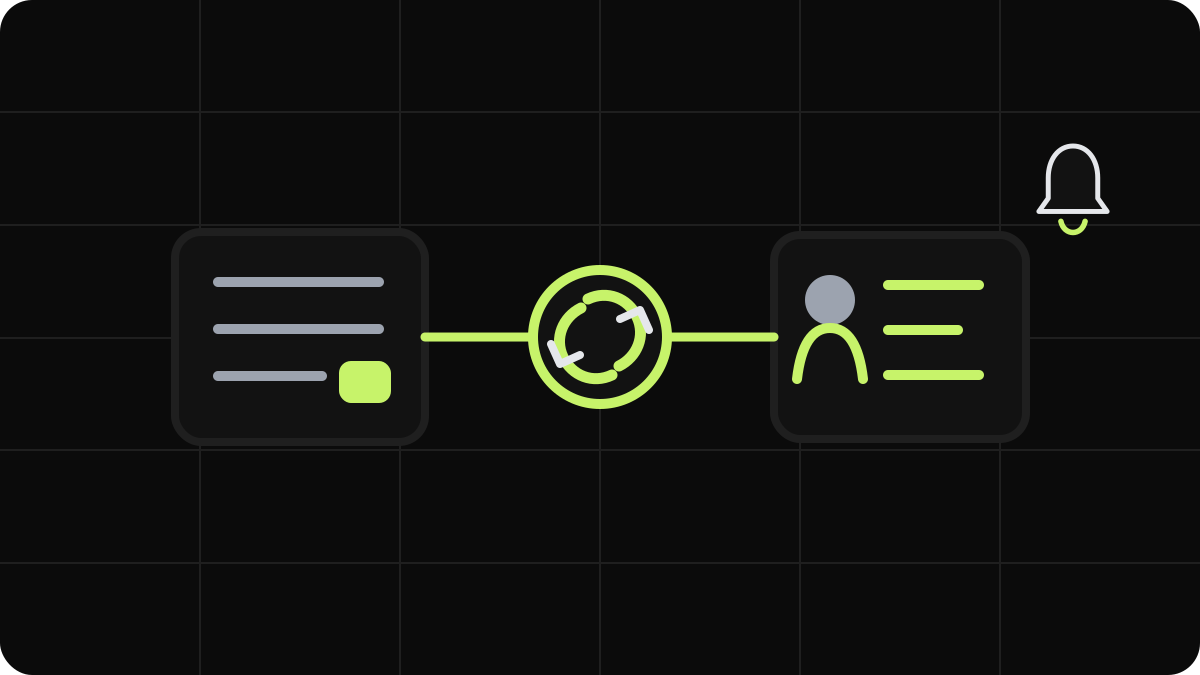
What Form-to-CRM Webhook Automation Does
A form-to-CRM webhook automation connects a visitor’s submission to a business process. The form validates the input and sends an HTTP request—usually POST—to a receiving URL. That URL may belong to the CRM, an integration platform such as Make or n8n, or an endpoint maintained by the business.
The receiver maps values such as name, email, phone, service type, message, and consent status to CRM fields. It can create or update a contact, deal, or ticket; assign an owner; select a pipeline stage; and notify a representative. This is the basic form-to-CRM workflow described in implementation guidance.
A webhook delivers an event; it is not the CRM record itself. The form emits the event, and the destination processes it. The CRM may then use its API or internal automation to write records and start follow-up actions. This distinction matters because CRM webhook documentation may describe outbound notifications rather than an inbound endpoint for form submissions. For example, the HubSpot Webhooks API documentation focuses on subscriptions that notify an application when events occur. An implementation may therefore need both a receiving endpoint and authenticated CRM API requests.
The objective is an instant lead notification pipeline: a valid inquiry reaches the correct record, owner, queue, and notification channel without manual copying. A direct connection reduces handoffs but does not eliminate field design, monitoring, or human follow-up.
A bounded workflow looks like this:
Form submission → validation → webhook delivery → transformation → CRM upsert → routing → notification
This fits sales inquiries, service requests, quote forms, and support intake. It is separate from broader work such as a Stripe integration, payroll replacement, or full operational-system migration. For a scoped implementation, Web & Workflow Automation covers authenticated webhooks, REST connections, validation, delivery verification, error logging, and an initial monitoring period.
Plan the Form Fields, CRM Mapping, and Routing Rules
Begin with the business decision the form must support. A sales form may need name, business email, phone, company, service interest, location, and a description. A service form may need a customer identifier, service area, request category, urgency, and preferred contact method. Collect only information needed to route, qualify, respond to, or report on the inquiry.
Use explicit labels, appropriate input types, useful autocomplete attributes, and clear error messages. Validate in the browser for immediate feedback, then validate again on the server or receiving endpoint. The web.dev forms guidance covers accessible structure, validation, submission behavior, testing, and security.
Create a field dictionary before connecting systems. Document:
- The stable form name, such as
emailorservice_type. - The destination object, such as contact, company, deal, or ticket.
- The CRM field name and expected data type.
- Whether the value is required, optional, normalized, or restricted.
- The fallback value when the form does not provide it.
Avoid mapping everything into one notes field. A structured service_type field can drive routing, while the same value in free text usually cannot. Keep names consistent across forms and use controlled values for service areas rather than variations such as “NYC” and “New York City.”
Define routing rules in plain language: assign an owner by territory, place urgent requests in a priority queue, select a pipeline by service type, or notify a shared inbox when no owner matches. Decide whether an inquiry creates a contact, a contact plus deal, or a ticket linked to an existing customer. Guidance on automated CRM contacts, deals, and routing illustrates why business fields must align with the destination workflow.
Use explicit hidden context such as form name, page URL, campaign source, and submission timestamp when permitted. Do not treat hidden fields as trustworthy identity data. Normalize phone numbers, trim whitespace, reject malformed email addresses, and preserve consent records according to privacy requirements.
Connect the Form Webhook to a CRM or API
Choose the simplest architecture that meets the scope. A native integration is easiest to maintain when it supports the required objects and routing. Middleware is useful for filtering, normalization, enrichment, branching, or multiple destinations. A custom webhook-to-API connection fits systems without a suitable native path when the team can maintain code, credentials, logs, and monitoring.
The implementation sequence is consistent:
- Identify the receiving URL and confirm that it accepts inbound form events. Do not assume general CRM webhook documentation provides such an endpoint.
- Select the required HTTP method and payload format. JSON
POSTis common, but the form tool and API documentation control the requirements. - Configure authentication, such as a secret header, signed request, API key, OAuth token, or managed middleware connection.
- Map each submitted field to the destination object and field identifier.
- Send a test request and inspect the response and resulting CRM record.
- Configure the action after a successful write: assignment, pipeline stage, task, email, or notification.
For WordPress, confirm that the form plugin supports webhooks or an extension. A typical configuration selects the form, opens webhook settings, enters the request URL, chooses the method, and maps the payload. The WordPress REST API Handbook is the primary reference when WordPress or a custom plugin is part of the integration.
Keep transport and business logic separate where possible. The receiver should authenticate the request, validate its shape, assign an event identifier, and transform values into the CRM schema. A CRM API call can then create or update records.
Use an upsert strategy when supported: find a contact by a carefully selected key such as a verified email address, then update or create according to a defined rule. Email alone may not identify every person, particularly with shared addresses, so document the matching policy. Store the original submission identifier and source form for troubleshooting.
A successful HTTP response confirms acceptance, not necessarily completion of downstream actions. Define success as a record created, record updated, or event queued. Trigger staff notifications only after the CRM result is known.
Test Delivery, Errors, Duplicates, and Security
Test the form and CRM outcome together. A “thank you” message does not prove that the request reached the receiver, the CRM accepted the fields, or the correct employee was notified. Use representative submissions for each routing branch, including missing optional values, unusual punctuation, long messages, and invalid inputs.
The verification checklist should cover:
- A successful submission creates or updates the intended CRM record.
- Required fields are rejected before an incomplete record is created.
- Invalid email, phone, and controlled-choice values are handled predictably.
- The correct owner, pipeline, stage, queue, and notification recipient are selected.
- Duplicate submissions produce the documented result rather than uncontrolled duplicate records.
- Rejected requests are logged with enough context to investigate.
- Temporary destination failures follow a defined retry policy.
- Permanently invalid payloads are separated for review instead of retrying indefinitely.
Duplicates need a specific design decision. A visitor may click twice, a browser may retry, or middleware may resend after a timeout. Use an idempotency key or stable submission ID when available. If the CRM cannot accept one, combine a documented matching rule with duplicate review. Do not rely on a notification arriving once as evidence that a record was created once.
Log event identifiers, timestamps, destination responses, and processing status. Avoid logging full personal-information payloads without a documented need and access control. Redact sensitive values, restrict administrative access, and set retention periods. Reject malformed requests, enforce rate limits where appropriate, and verify signatures or shared secrets before processing. Store credentials in a secrets manager or protected platform setting, not in form markup, client-side JavaScript, or a public repository.
Test failure behavior with an invalid destination, malformed payload, missing CRM field, and timeout when possible. Confirm that users receive an understandable result without technical details and that the team can locate and safely replay failed events.
Security and accessibility are part of conversion engineering. A form that sends untrusted data into a privileged API is unsafe, while one that rejects keyboard users or provides unclear errors undermines lead capture. Validate both sides, protect personal information, and verify the full workflow before live routing.
A Practical Rollout Framework for Form-to-CRM Automation
Document the current intake process: where submissions arrive, who reviews them, how records are created, how ownership is assigned, and where delays or duplicate entry occur. This establishes scope and prevents the project from becoming an attempt to replace every internal system.
Select one form and one CRM pipeline with a clear trigger and outcome, such as a consultation request that creates a contact, opens a deal, assigns an owner, and notifies a sales channel. Write the field dictionary and routing rules first, including fallback behavior for missing service areas, unknown locations, and unmatched owners.
Build the smallest viable flow:
Trigger: valid form submission
Logic: validate, normalize, match, and route
Action: upsert CRM record and notify the responsible team
A native integration fits when it supports the required fields, objects, authentication, and routing without custom transformation. Use middleware to remove test submissions, standardize values, add source metadata, branch to systems, or notify multiple destinations. Use a custom webhook-to-API connection when the business needs precise control and can support maintenance. Native integrations reduce configuration overhead but may limit flexibility, as discussed in this comparison of direct CRM connections and webhook-based approaches.
Test representative submissions before enabling live notifications. Include each owner, service area, urgency level, and pipeline branch. Confirm the CRM record, association, stage, task, and notification independently. Monitor failed requests, retries, duplicate patterns, and routing exceptions during the initial operating period.
Expand only after the first flow is stable. Add forms one at a time, reuse the field dictionary, and keep event identifiers consistent. Review whether each notification is necessary; excessive alerts can replace manual data entry with notification overload.
Adjacent technical work can remain separate. Page speed, Core Web Vitals, technical SEO, and accessible form implementation improve conditions around lead capture, while the webhook handles reliable data movement. The result is a maintainable workflow with clear boundaries, observable delivery, and a practical path from website inquiry to CRM action.
Sources and references
Have a project in mind?
Tell me about your project and I'll show you how to build a fast website, improve your search visibility, or automate your workflows.